







Can Less Screen Time Actually Improve Your Rest?
You put the phone down at 11:00 p.m. Then you pick it up “for one minute.”
Forty minutes disappear.
A few messages. A short video. One headline. Another video because the first one ended automatically. By the time the room is dark again, you’re tired—but strangely not ready to sleep.
That experience is exactly why the question isn’t simply “Are screens bad for sleep?” The more useful question is: can reducing screen time, especially at night, actually improve how well you rest?
The evidence says it can. But the mechanism is more interesting than the usual “blue light is bad” explanation. Screen use can delay bedtime, expose you to light at the wrong biological time, keep your attention activated, and make the transition from daytime activity to sleep much harder.
And you don’t necessarily need a dramatic digital detox.
A smaller, smarter reduction may be enough.
Less screen time helps—but timing matters more than a daily total
A phone used for two hours at 10 a.m. isn’t doing the same thing as a phone used for two hours in bed.
That distinction gets lost in simple screen-time statistics.
A 2025 systematic review and meta-analysis covering 21 cohort studies and 548,338 participants found that each additional hour of daily screen exposure was associated with roughly 3–5 fewer minutes of total sleep and a higher likelihood of short sleep. Those are population-level associations, not proof that every extra hour directly causes sleep loss, but the direction is remarkably consistent.
Nighttime use has another problem: it can steal time without feeling like it is stealing time.
You may intend to watch something for 15 minutes. The recommendation algorithm doesn’t share that intention.
The result is often a later bedtime rather than an inability to sleep. That’s an important distinction. If your alarm rings at 6:30 a.m. regardless, pushing bedtime from 10:45 to 11:30 is effectively cutting into your sleep opportunity.
Adults generally need at least seven hours of sleep per night on a regular basis, according to the American Academy of Sleep Medicine and Sleep Research Society consensus recommendation.
So the first win from reducing screens may be surprisingly boring:
You go to bed earlier.
Your brain doesn’t experience a screen as “just a screen”
There’s a physical component, but there’s also a behavioral one.
A glowing display can provide short-wavelength-enriched light, which can affect the circadian system and melatonin secretion. A well-known randomized study compared people reading a light-emitting e-reader with people reading a printed book before bed. The e-reader condition was associated with delayed sleep, reduced evening sleepiness, suppressed melatonin, a later circadian phase, and lower next-morning alertness.
That’s useful evidence—but it doesn’t mean every modern display has an identical effect.
Device brightness, viewing distance, content, ambient lighting, exposure duration, and the timing of use all matter. Even daytime light exposure influences circadian timing, so treating “blue light” as the entire story is too simplistic. Research has found, for example, that sufficient daytime light exposure can affect melatonin timing even when evening light-emitting-device exposure occurs.
Then there’s the content.
Reading a calm article is different from arguing in a group chat. A slow audiobook is different from competitive gaming. Doomscrolling through emotionally charged posts is another category entirely.
The nervous system notices the difference.
A 2024 systematic review and meta-analysis of 55 papers involving 41,716 participants found electronic-media use was associated with poorer sleep quality, with stronger associations for problematic use and notable effects for smartphone and social-media use.
That doesn’t make your phone inherently harmful. It means the way you use it matters.
The easiest target is the last hour
Trying to slash your entire daily screen total from six hours to two sounds virtuous.
It also sounds miserable.
A better experiment is to protect the final 30–60 minutes before bed.
Think of it as a screen buffer.
During that period, remove the activities most likely to pull you back in:
- Social media feeds
- Work email and messaging
- Short-form video
- Competitive games
- News alerts
- Anything that reliably turns “five minutes” into 45
You can still use technology strategically. A podcast with the display off is different from scrolling TikTok in bed. An e-reader with a restrained display is different from a brightly lit phone held six inches from your face.
The goal isn’t technological purity.
It’s reducing stimulation at the point when you’re trying to downshift.
Try the phone settings you already have
You don’t need a specialist sleep gadget to run a useful experiment.
On iPhone
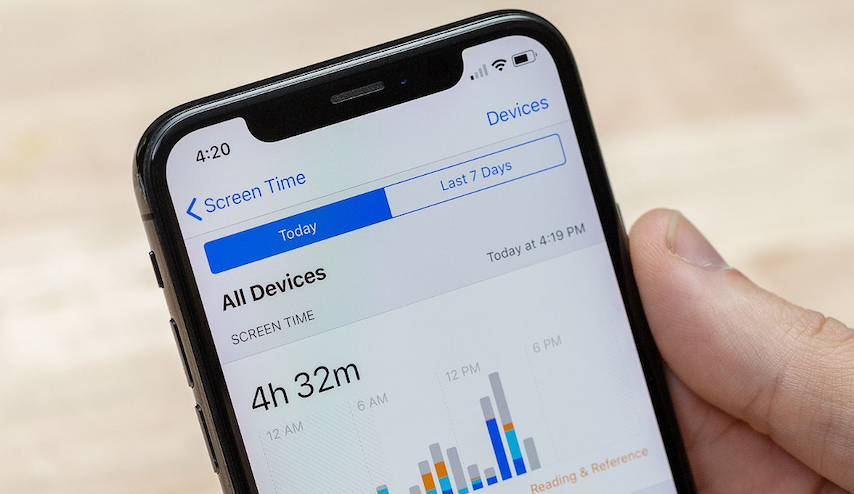
Apple’s Screen Time includes scheduled Downtime, App Limits, and controls for which apps and contacts remain available. During Downtime, you can block restricted apps rather than merely receiving a reminder, which makes the setting much harder to ignore when your willpower is low at 11:45 p.m.
A practical setup might look like this:
- Open Settings → Screen Time → Downtime.
- Schedule it for, say, 10:30 p.m. to 6:30 a.m.
- Turn on Block at Downtime if you repeatedly override the softer reminder.
- Leave genuinely useful exceptions available, such as emergency contacts or an alarm.
Apple also allows Screen Time activity to be shared across an iPhone, iPad, and Mac when devices use the same Apple Account, so your “I barely used my phone” estimate doesn’t necessarily tell the whole story if you’re moving between devices.
On Android
Google’s Digital Wellbeing provides app timers, Focus mode, notification controls, and Bedtime mode. Bedtime mode can schedule grayscale, dim the display, turn off the always-on display on supported devices, and use Do Not Disturb to reduce interruptions.
The setup is similarly simple:
Settings → Digital Wellbeing → Bedtime mode → Bedtime routine.
You can schedule it around your actual sleep window or configure it to activate while the phone is charging.
Samsung Galaxy devices use Sleep mode within Modes and Routines, with options for a sleep schedule and grayscale display. Samsung notes that the feature was previously called Bedtime mode or Wind Down.
These features aren’t magic.
They’re friction.
And friction is useful.
The overlooked benefit: you reclaim mental rest
Sleep isn’t the only kind of rest that gets crowded out by screens.
There’s also the strange exhaustion of being constantly reachable.
Your body may be sitting on the sofa, but your attention is jumping between messages, headlines, reminders, notifications and unfinished tasks. That isn’t necessarily harmful every time. It can become tiring when there’s no clean boundary between “I’m available” and “I’m off.”
This is where a short screen-free period can feel surprisingly restorative even before bedtime.
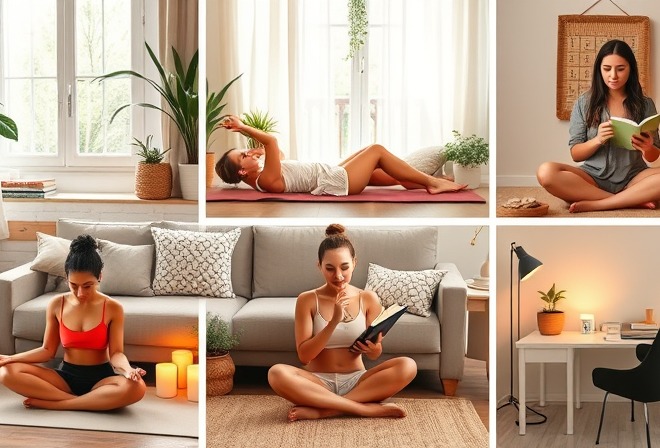
Read a paper book. Stretch. Shower. Make tea. Sit outside. Talk to someone without a phone face-up on the table.
Nothing particularly sophisticated.
That’s partly the point.
A 2024 National Sleep Foundation consensus statement reviewed thousands of articles and concluded that the relationship between screen-based media and sleep depends on factors including timing, content and light exposure. The expert panel also examined behavioral strategies intended to reduce potential negative effects.
So don’t reduce screen time simply because a timer tells you to.
Reduce the kind of screen use that prevents your brain from switching gears.
A seven-night experiment works better than a strict digital detox
If you’re curious whether screens are affecting your rest, test the hypothesis instead of guessing.
For seven nights, keep your normal wake time as consistent as practical.
Then change only one major variable: no recreational scrolling during the final 45 minutes before bed.
Track four things each morning:
| Measure | What to record |
|---|---|
| Bedtime | When you actually tried to sleep |
| Sleep onset | Rough estimate of how quickly you fell asleep |
| Night waking | Number of noticeable awakenings |
| Morning state | Energy from 1–10 |
Add one more number: how much screen time happened after your intended bedtime?
That last figure can expose the culprit.
If your sleep doesn’t improve, don’t automatically conclude that screens are irrelevant. Your issue may be caffeine, inconsistent sleep timing, stress, noise, room temperature, late exercise, alcohol, or simply not allowing enough time for sleep.
If your rest improves dramatically, you’ve found a useful lever.
Not a rule for life. A lever.
Should you use night mode or just put the phone away?
Night Shift on iPhone, Night Light on Android, and similar display features can make evening screens less visually harsh. They’re reasonable tools.
They aren’t permission to scroll indefinitely.
That’s the catch.
Changing the color temperature doesn’t remove notifications. It doesn’t stop an argument in your group chat. It doesn’t prevent a 20-minute video from becoming an hour. And it doesn’t give you the time back when an app keeps your attention engaged.
If the choice is between a dimmed phone and a bright phone, dimmed wins.
If the choice is between a dimmed phone and a quiet bedroom, the bedroom usually wins.
Simple as that.
What if you need your phone at night?
Then don’t aim for perfection.
Parents may need emergency calls. Some people use their phone as an alarm. Others monitor work or caregiving responsibilities. A phone may also provide accessibility features, white noise, meditation audio, or a sleep-related routine.
Use the device deliberately.
Keep it off the bed. Activate Do Not Disturb. Allow only essential contacts. Put the display face down. If you need audio, start it before settling in and avoid keeping an interactive feed open.
The objective is to turn the smartphone from an interactive entertainment machine into a limited-purpose tool.
That’s a much more realistic form of digital self-care.
Frequently Asked Questions
Does reducing screen time really improve sleep?
It can, particularly when screen use happens close to bedtime. Research links evening electronic-media use with later sleep timing and poorer sleep outcomes, while controlled experiments have demonstrated effects from evening light-emitting devices.
How long before bed should I stop using screens?
There isn’t a single scientifically established cutoff that works for everyone. A practical starting point is 30–60 minutes of screen-free time before bed, then adjust based on how you respond.
Is watching TV before bed as bad as using a phone?
Not necessarily. Screen type, distance, brightness, content, timing and interaction all matter. A phone held close to your face while you actively scroll is a different exposure from quietly watching a television across the room.
Does grayscale actually help?
It may reduce the visual appeal of a phone and make it less rewarding to browse, while also reducing color stimulation. Android’s Bedtime mode explicitly offers grayscale alongside other bedtime controls.
But grayscale isn’t a substitute for reducing late-night use.
What if I sleep poorly even after reducing screens?
Keep looking beyond the screen. Consistent wake times, adequate sleep opportunity, daytime light exposure, caffeine timing, stress and the bedroom environment can all influence sleep. Persistent or significant sleep problems deserve a conversation with a qualified healthcare professional.
Give your evening somewhere else to go
The hardest part of reducing screen time isn’t usually turning the screen off.
It’s discovering what happens next.
If the answer is “nothing,” the phone wins.
So choose one low-effort replacement before you start. Ten pages of a novel. A shower. Gentle stretching. Preparing tomorrow’s clothes. Sitting with music. A few minutes on the balcony.
Then put the phone somewhere inconvenient.
Not across the room because a wellness influencer said so. Put it there because you’re less likely to reach for something you have to stand up and retrieve.
Try it tonight for 45 minutes.
If you wake tomorrow feeling even slightly more rested, repeat it. Let the experiment—not a screen-time score—tell you what your body actually responds to.